How to Find Premium iPhone Games in 2026
How to Find Premium iPhone Games in 2026
The App Store has 1.6 million apps. A small fraction are premium games — and the ones labeled “premium” often aren’t. They’re free-to-play games dressed in premium clothing: free entry, then ads every thirty seconds, then a paywall for the real game. This article cuts through that noise and teaches you where to actually find games you buy once and own forever — no ads, no in-app purchases, no energy timers waiting for tomorrow.
The Premium-Game Problem in 2026
The term “premium” on the App Store has become meaningless. Apple’s category label exists, but enforcement is loose. A game can call itself premium and still ship with:
- Ad breaks between sessions — not just banner ads, but full-screen interruptions that reset your progress if you skip too early.
- Energy systems — play 5 levels, wait 30 minutes for energy to recharge, or pay to refill.
- Cosmetic-only IAP that’s actually progression-gating — “cosmetics” that unlock gameplay features or difficulty modes.
- Seasonal battle passes — “optional” purchases that lock story chapters behind a time-limited paywall.
These games are free-to-play with a entry fee. They’re not premium; they’re freemium with a price tag.
A real premium game costs money upfront and contains no ads, no energy timers, no battle passes, and no IAP. You buy it once and own the full experience. On iPhone in 2026, these games are a shrinking minority — which is exactly why finding them matters.
Where the App Store Fails You
The App Store’s search and browse experience is designed to surface high-grossing games, not high-quality ones. Here’s why:
The “Premium Games” category is polluted. Apple’s algorithm doesn’t distinguish between a true premium game and a freemium game with a price tag. Both appear in the category. You have to read the fine print of each listing to know which is which.
Search results prioritize revenue, not relevance. When you search “premium space games” or “indie puzzle games,” the top results are often games with the highest in-app purchase revenue, not the best reviews or the most premium-pure design. The algorithm works backward from monetization.
The “Top Charts” are a trap. Top Paid Games are ranked by gross revenue, not by player count or satisfaction. A mediocre game with aggressive IAP can outsell a masterpiece that respects your time.
Browsing by genre is surface-level. You get arcade games, puzzle games, action games — but no filtering for “no IAP,” “offline,” or “complete experience.” You have to dig into every listing individually.
This is why experienced players don’t rely on the App Store’s discovery tools. They use different methods.
Method 1: Check the App Store Listing for Red Flags
When you find a game that interests you, read the listing like a contract. Here’s what to look for:
In the description, search for these exact phrases: - “No in-app purchases” or “IAP-free” — this is the clearest signal. If it’s not stated explicitly, assume it exists. - “One-time purchase” or “pay once, play forever” — this is the premium-game promise. - “No ads” or “ad-free” — critical. Many games are IAP-free but run ads. - “Offline play” — a bonus signal of craft. Games that work without internet tend to be more complete.
Example of a real premium game listing vs. a freemium game:
Premium game (Inscryption, ):
“A roguelike deck-building adventure. One-time purchase. No in-app purchases. No ads. Complete campaign included. Plays offline.”
Freemium game disguised as premium (example):
“Premium card game. Free to download. Unlock cards faster with gems (optional). Battle pass available for seasonal content. Watch ads to earn bonus rewards.”
Red flags to avoid: - “Free with optional IAP” — this is freemium, not premium, no matter what the price tag says. - “Energy system” or “stamina” or “cooldown timers” — the game is designed to make you wait or pay. - “Battle pass” or “seasonal content” — time-limited monetization. You’re renting, not owning. - “Watch ads to continue” or “ad-supported” — the game is free-to-play. - “Requires internet connection” — not always a red flag, but combined with other IAP signals, it suggests a live-service game.
Check the screenshots for UI tells: - Look for a “Shop” button or currency counter in the UI. Premium games rarely have visible monetization in the interface. - Look for energy/stamina bars. If the screenshots show a timer or a “Come back in 2 hours” message, it’s not premium. - Look for ads or banner placements in gameplay. Premium games don’t interrupt play.
Read the recent reviews. Sort reviews by “Most Helpful” and scan for complaints about ads, energy timers, or surprise IAP. If the top reviews mention monetization friction, the game isn’t premium in practice, no matter what the listing claims.
Method 2: Use Specialized Discovery Sites
The App Store’s search is unreliable for premium games. Specialized sites exist because of that gap.
TouchArcade is the oldest and most rigorous iOS game publication. Their reviews distinguish between premium games and freemium games explicitly. Their “Best Games” lists are curated by experienced reviewers, not algorithms. If TouchArcade recommends a game as premium, it is.
AppShopper aggregates App Store listings and lets you filter by price, release date, and category. More importantly, it surfaces older games that the App Store’s algorithm has buried. Many premium games shipped 3-5 years ago and are now invisible in “Top Charts” — AppShopper still lists them.
r/iosgaming on Reddit is the most honest iOS gaming community. The subreddit’s rules explicitly exclude low-effort monetization games. When someone posts “Looking for premium games like X,” the responses are typically accurate and detailed. Threads often include direct App Store links and owner reports on whether the game’s monetization matches its listing.
Metacritic’s iOS section filters games by user score and release date. It’s not perfect, but it surfaces critically-acclaimed games that might not rank high in App Store revenue charts.
These sites aren’t perfect — they have their own biases — but they’re run by people who actually play games, not by algorithms optimizing for in-app purchase revenue.
Method 3: Look for Games That Shipped Complete
Premium games often have a specific release pattern: they ship with a full campaign, a complete feature set, and no roadmap promising future paid content. This is the opposite of live-service games, which ship incomplete and add content over time.
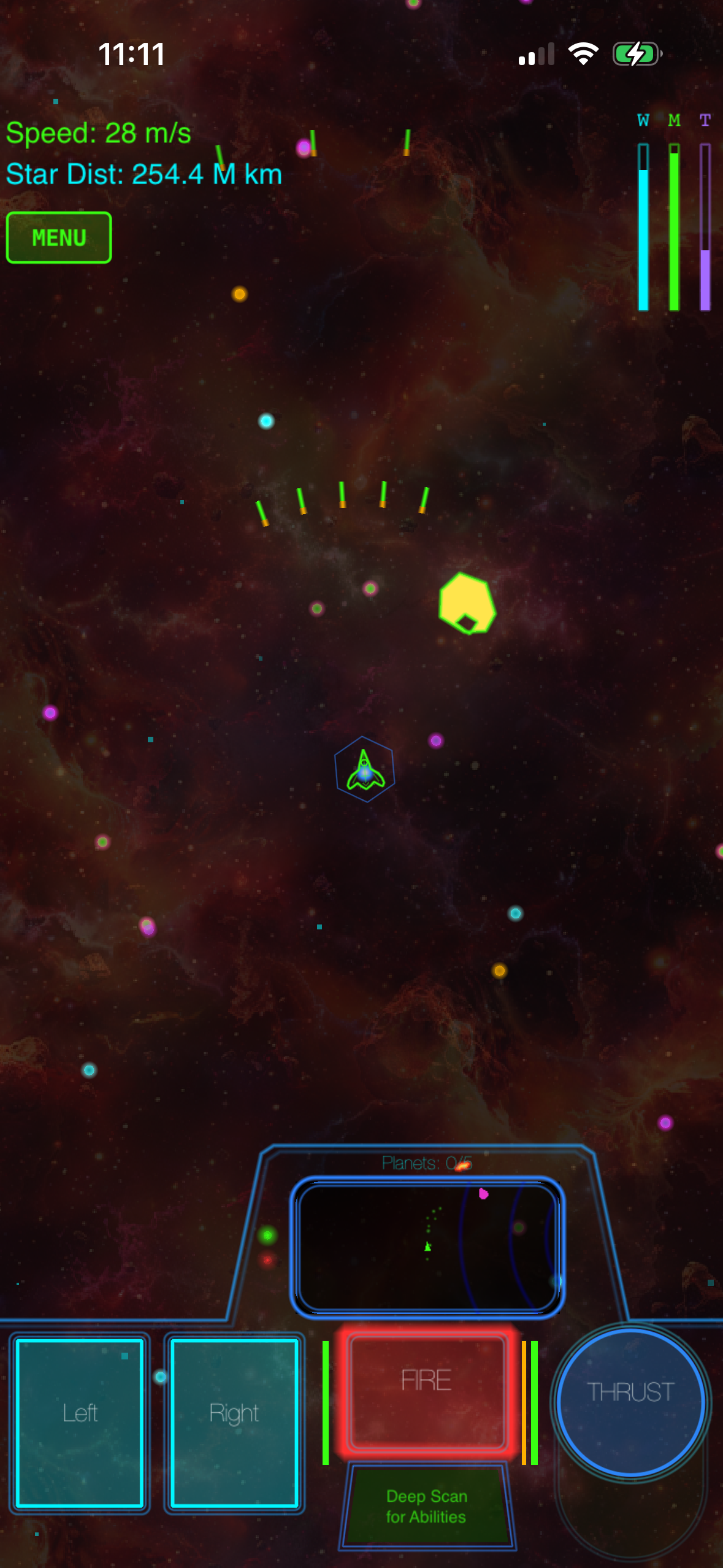
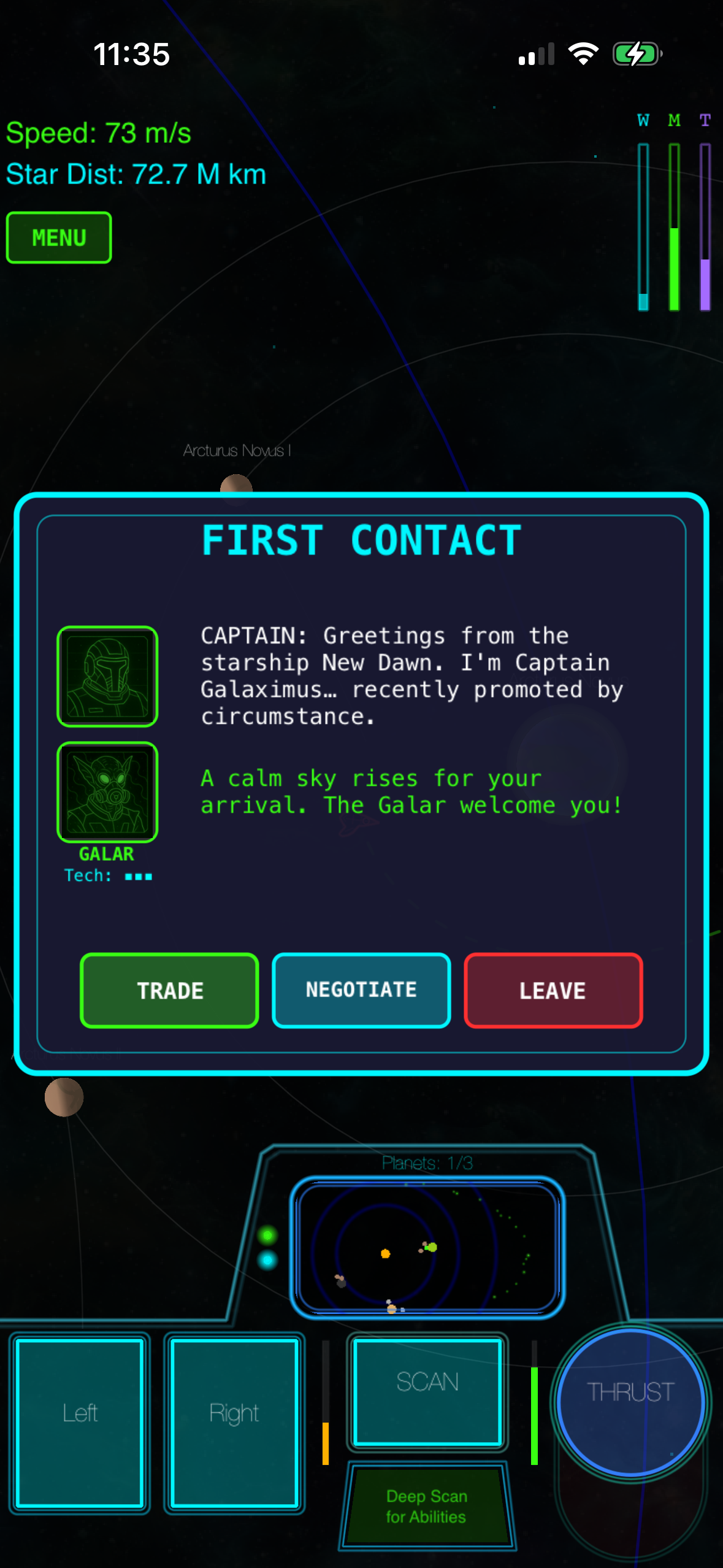
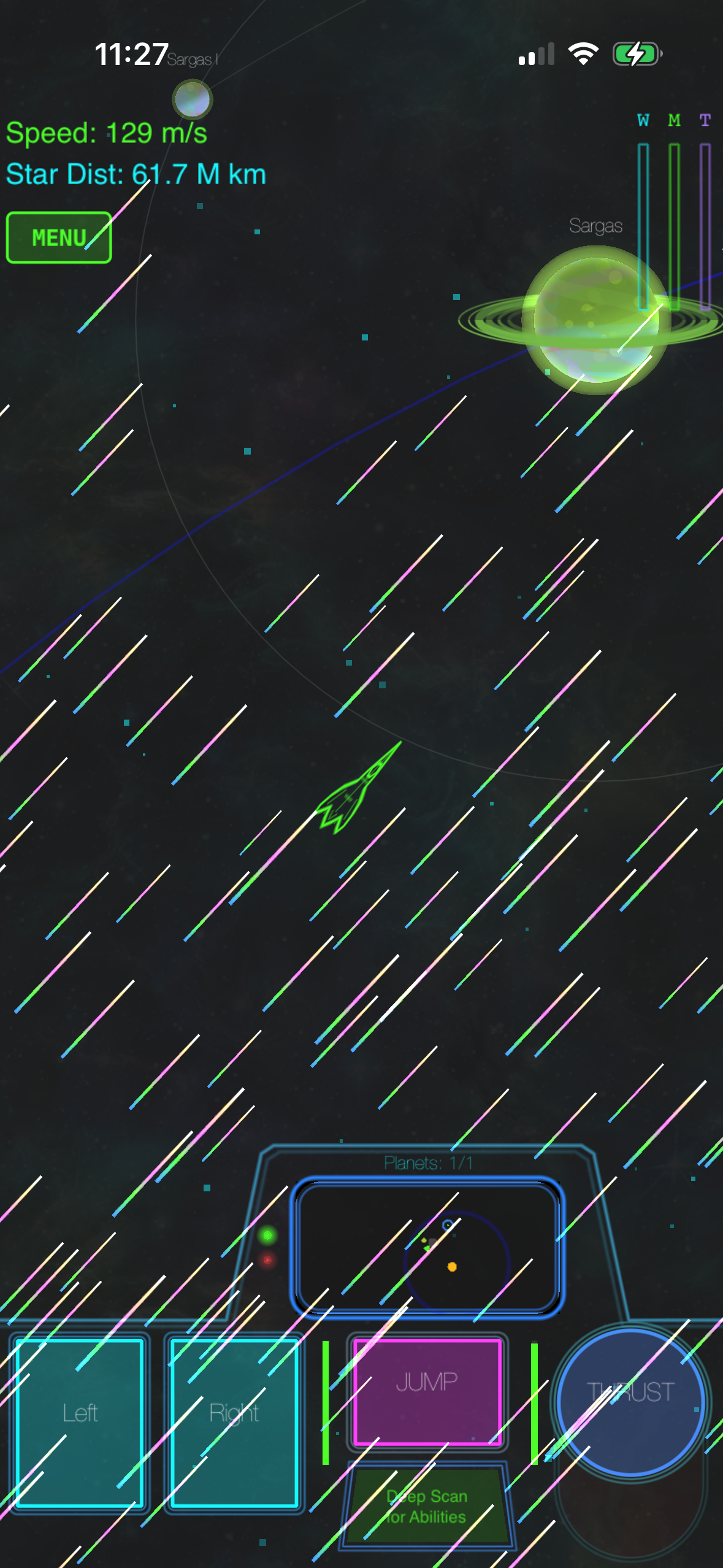
Games that shipped complete in 2024–2026: - Galaximus (2024) — space arcade with real orbital mechanics - Inscryption (2022 iOS port) — roguelike deck-builder - Alto’s Adventure (2015, still premium) — endless runner with procedural generation - Threes! (2014, still premium) — sliding-tile puzzle - Asteroids: Gunner (2023) — vector arcade shooter
Games that shipped incomplete and are still selling battle passes or seasonal content: - Genshin Impact (2020, ongoing live service) — free-to-play, massive monetization - Clash Royale (2016, ongoing live service) — freemium, constant monetization - Final Fantasy VII: Ever Crisis (2023, ongoing) — free-to-play, episodic chapters
The pattern is reliable: if a game’s App Store listing mentions “upcoming seasons,” “new content every month,” or “limited-time events,” it’s designed to keep you returning and paying. Premium games don’t need that hook — they’re complete as-is.
Check the release date. Games released more than 18 months ago that have no major updates are often complete games. Games updated weekly are usually live-service games chasing engagement metrics.
Method 4: Follow Indie Game Communities
Indie game communities (not just iOS, but broader) talk about premium games because they’re the ones who make them.
Indie game subreddits: r/indiegames, r/gamedev, r/iosgaming all surface premium indie titles because the creators and players in those spaces value craft over monetization. Posts here tend to be specific: “I spent 3 years making a space game with real physics, no IAP, here’s why I chose that model.”
Indie game podcasts and blogs: Podcasts like Daft Souls, Wireframe Magazine, and blogs like Gamasutra cover indie games seriously. They’ll mention when a game is premium and why that matters to the creator’s vision.
Game developer Twitter/X accounts: Indie developers post about their work. If you follow a few (especially those who’ve shipped on iOS), you’ll see their recommendations for other premium games. Developers tend to support each other’s work in this space.
Discord communities: Servers dedicated to specific games (Asteroids: Gunner, Galaximus, etc.) often have channels for discussing similar games. The players in these communities have already filtered for premium titles.
Method 5: Price Tiers as a Signal
Premium games cluster in specific price ranges on iOS. Understanding those tiers helps you narrow your search:
** tier** — budget-friendly premium games, usually 2-5 hours of content or high replayability. Examples: Threes! , Alto’s Adventure , many indie arcade games.
** tier** — mid-range premium games with 5-15 hours of campaign content or deep mechanics. Examples: Inscryption , Asteroids: Gunner , most premium roguelikes and craft-built action games.
** tier** — premium games with AAA production values or 15+ hours of content. Example: Galaximus (, launch tier, includes the upcoming Infinitum expansion free).
+ tier — rare. Usually ports of successful console/PC games or games with massive content. Most original iOS premium games don’t exceed this price.
Free premium games — exist but are rare. Usually supported by donations or a “pay what you want” model. Extremely trustworthy when you find them because the developer isn’t relying on monetization at all.
Games priced outside these bands are often experimental or suspect. A game might be a loss-leader from a studio with other IAP games. A game might be a port with hidden IAP. The middle tiers are where premium games cluster.
Method 6: Check What Offline Games Reveal
Games that work without an internet connection are almost always premium. Live-service games require constant server contact to validate purchases and track engagement. Premium games often work offline because they have no monetization to validate.
Look for games with local-only save files. If a game doesn’t mention cloud sync or server saves, it’s almost certainly premium. It’s storing your progress locally on your device, which is how games worked before live-service became standard.
Test it yourself. Put your phone in Airplane Mode and launch the game. If it works, the game doesn’t depend on constant server validation. That’s a strong premium signal.
Offline capability is expensive to maintain (it requires robust local save systems and no server-side monetization validation). Only premium games can afford that cost.
Note: The App Store’s search function has limitations for discovering games by feature. Use the methods above (TouchArcade, AppShopper, r/iosgaming) to find offline-capable games more reliably than searching the App Store directly.
Method 7: Read the Fine Print for Hidden IAP
Even after checking for “no IAP” claims, some games hide it in the details. Here’s where to look:
Check the “In-App Purchases” section of the listing. Apple requires every game with IAP to list it, even if the description doesn’t mention it. If the listing says “In-App Purchases: None,” the game is truly IAP-free. If it lists any purchases — even cosmetics — it has IAP.
Look at the age rating details. The ESRB/PEGI rating includes a note about “Offers in-App Purchases” if the game has any. This is a required disclosure.
Check the privacy section. Games that track your behavior for ad targeting or monetization analytics will disclose it. Premium games often have minimal tracking because they have no reason to profile you.
Read the permissions list. If a game requests permission to access your camera, location, or contacts, ask why. Premium games rarely need those permissions. If a game requests them, it’s likely collecting data to sell to advertisers or for other monetization purposes.
This sounds paranoid, but it’s the reality of mobile gaming in 2026. Transparency requires reading the fine print.
Method 8: Look at Developer History
A developer’s track record is a signal. Studios that have shipped premium games before tend to ship premium games again.
Check the developer’s other apps. If they’ve released 5 premium games and no freemium games, they’re ideologically committed to the model. If they’ve released 10 freemium games and one premium game, the premium game might be an experiment or a loss-leader.
Look at the developer’s website or social media. Serious indie developers maintain a presence outside the App Store. They blog about their design philosophy. If a developer writes about why they chose the premium model, they’re likely to stick with it.
Check how long the developer has been in the space. A studio that shipped its first game in 2025 and it’s already premium is taking a risk. A studio that’s been shipping premium games since 2015 has conviction.
Look for developer statements about monetization. Some developers write explicitly: “We chose premium because we believe games should be complete experiences.” Those statements are rare and valuable. When you find them, the developer usually means it.
What Premium Games Look Like in Practice
To anchor this guide in reality, here’s what a real premium game feels like:
You buy it. It installs. You play it. No intro splash screen asking you to watch an ad. No “create an account” screen. No “connect to Facebook to unlock features.” The game respects your time from moment one.
There’s no shop button. The UI doesn’t constantly remind you that you could spend more money. There’s no currency counter, no “limited-time offer” banner, no “buy this skin” popup between levels.
If you stop playing for a month, nothing changes. There’s no “you’re missing the seasonal event” notification. There’s no battle pass expiring. There’s no FOMO. The game is exactly as complete when you return as it was when you left.
The difficulty is tuned for mastery, not for monetization. Hard sections exist to teach you something, not to make you want to pay to skip them. The learning curve is real, but it’s designed to be rewarding, not frustrating.
You own it forever. If the developer goes out of business, if the App Store deletes the game, if the developer removes it — you still have it on your device. It doesn’t phone home to validate your purchase every time you launch it.
These qualities are rare enough in 2026 that they’re worth seeking out.
FAQ
Q: Are all premium games on the App Store actually premium? No. Many games use the “premium” label to mean “has a price tag,” not “has no IAP.” Always check the “In-App Purchases” section of the listing to confirm.
Q: Is a premium game the same as a paid game? Not quite. A paid game costs money upfront. A premium game costs money upfront and contains no ads, no IAP, and no energy timers. All premium games are paid games, but not all paid games are premium.
Q: Why are premium games so hard to find? Because they’re less profitable than freemium games. A freemium game can monetize a small percentage of players heavily. A premium game monetizes everyone equally (the purchase price) and then stops. Studios choose freemium because it makes more money, even if it makes worse games.
Q: Are premium games worth the money? Yes, if you value ownership and respect for your time. You’re not renting the game; you own it. There are no surprise costs, no timers, no ads. The upfront cost is the total cost. For most people, that’s worth it.