Controller-Supported Indie Games for iPhone 2026

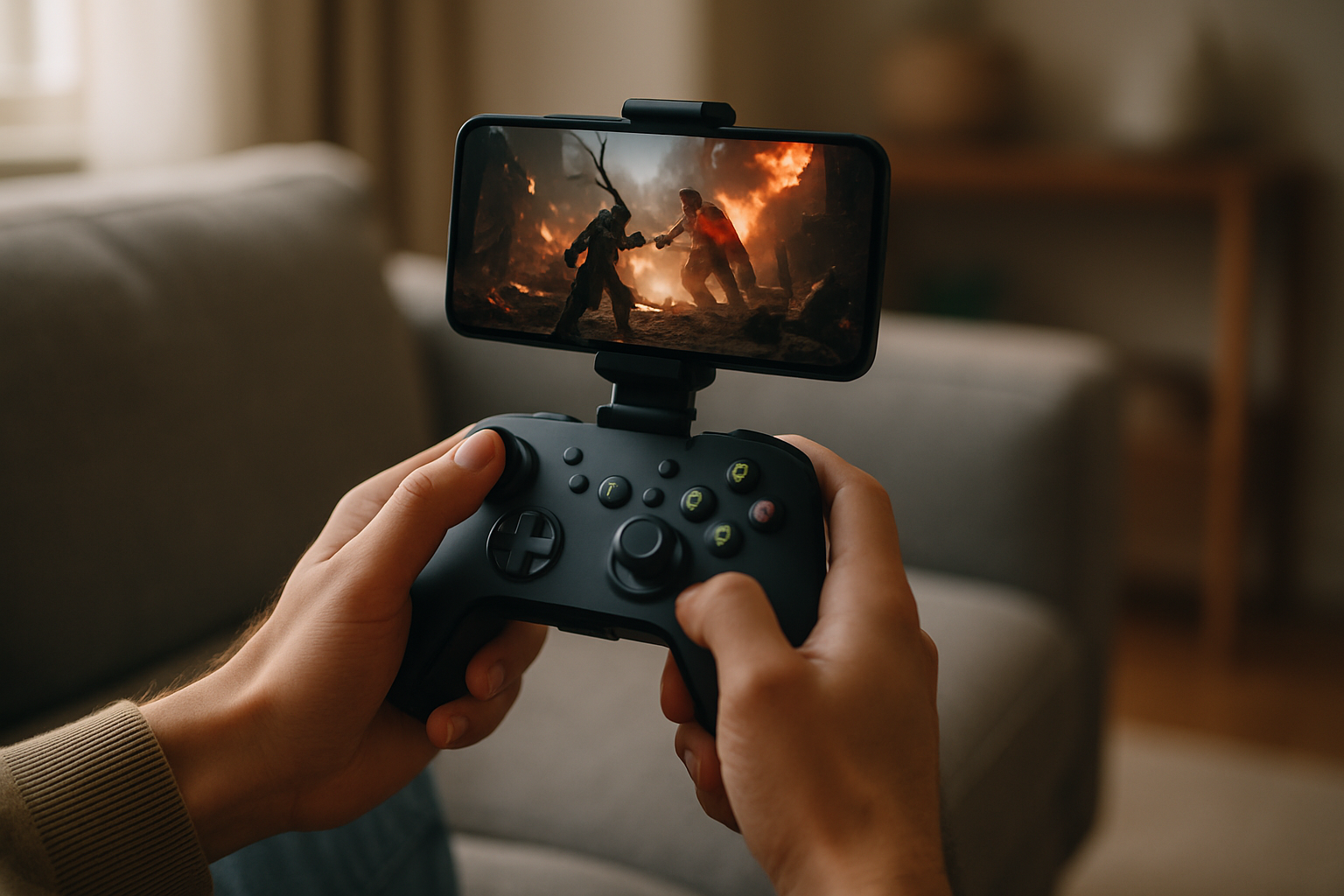
Photo by Rohit Choudhari on Unsplash
Controller-Supported Indie Games for iPhone: Best Picks for 2026
If you’ve got an MFi controller paired with your iPhone, you’re sitting on access to premium indie games—complete, finished titles with zero in-app purchases, designed from the ground up for gamepad play. The indie scene on iPhone has matured enough that controller support isn’t an afterthought anymore; it’s a design priority for developers who understand that a gamepad changes everything about how a game plays.
This guide rounds up the indie titles worth playing with a controller right now. These are complete games where the developer put real thought into controller mapping and felt responsive input.
Quick Picks: Hand-Picked Games to Play Today
Stardew Valley — Best for relaxed play A farming and relationship-building sim with full MFi controller support. The gamepad makes menu navigation smooth and long play sessions comfortable without touch fatigue. 40+ hours of content.
Alto’s Adventure — Best for arcade fans An endless-runner with controller support that feels natural on a gamepad. Analog stick control lets you fine-tune your character’s descent across procedurally-generated slopes. Clean, meditative gameplay.
Threes! — Best for puzzle lovers A number-sliding puzzle with optional controller support. Stick-based tile navigation is faster and more satisfying than touch, though the game works perfectly fine either way. No ads, no timers.
Baba Is You — Best for logic puzzle fans A rule-manipulation puzzle game with full controller support. Gamepad navigation through the rule blocks is intuitive, and the game’s 200+ levels reward careful positioning that a stick handles better than touch.
Spelunky 2 — Best for action roguelikes A demanding roguelike platformer where analog stick precision is essential. Controller support is native; touch controls don’t exist. Expect 10–20 hours to reach the ending, with hundreds more for completionists.
Monument Valley 2 — Best for perspective puzzles An isometric puzzle game where controller support adds convenience without changing gameplay. Stick-based camera rotation and character movement feel natural over long sessions.
Why Controller Support Matters on iPhone
A gamepad transforms iPhone gaming from “I’ll play this on my commute” to “I’m settling in for a real session.” Analog sticks let you fine-tune movement in ways touch controls can’t replicate. Shoulder buttons and triggers unlock control schemes that feel natural instead of cramped. And the tactile feedback—even on basic rumble-enabled controllers—makes arcade-style games feel right in a way that tap-to-move never does.
The best indie developers on iPhone have figured this out. They design for controllers first, not as a bonus feature bolted on later. That design discipline shows up everywhere: button placement, stick sensitivity curves, menu navigation that doesn’t require a touchscreen.
If you don’t have a controller yet, confirm it’s MFi-certified before purchasing. Any MFi controller works with any MFi-compatible game.
Arcade-Lineage Games Built for Gamepads
The strongest category of controller-ready indie games traces back to arcade formats from the 1979–1985 golden age. These games respect the lineage—they don’t just borrow the aesthetic—and controller support lets you play them the way the original cabinet players experienced them.
Games in this space tend to reward patient positioning over twitch reflexes, and analog sticks are made for that kind of play. You get the precision to thread a narrow gap or hold a perfect orbit without the finger-cramping that touch controls demand.
The craft in these games lives in the physics and the pacing. A well-tuned arcade game feels generous—it gives you the tools to survive, then cranks up the challenge by introducing new enemy patterns or environmental hazards. Controller support means you can execute your strategy without fighting the input method.
Sci-Fi and Space Titles With Serious Controller Integration
iPhone space games have gotten genuinely ambitious in 2026. The ones built with controller support in mind treat the gamepad as a first-class citizen, not a retrofit.
These games often lean into real or semi-realistic orbital mechanics, and that’s where a controller shines. Analog sticks let you manage velocity and heading without the discrete button-mashing that touch controls force. You can make micro-adjustments to your trajectory, which matters when the game rewards precision over reflexes.
Look for titles that map rotation to one stick and thrust to triggers or buttons. That scheme feels natural after a few minutes, and it opens up gameplay depth that’s hard to reach on touch alone.
Roguelikes and Procedural Games That Reward Repeated Play
Roguelikes and procedurally-generated games are natural fits for controller play. A gamepad’s quick button presses and stick flicks let you move through runs faster, and the tactile feedback makes the constant retries feel less tedious.
The best indie roguelikes on iPhone respect the platform and player expectations. When they add controller support, they design for it. Button layouts are logical, menu navigation is smooth, and the pacing accounts for the fact that you’re probably playing in shorter bursts than a PC player would.
Action Games Where Analog Precision Matters
Action games are where controller support stops being nice-to-have and becomes essential. Tap-to-move action games exist, and some are decent, but they’re fighting against the input method. A gamepad lets the developer design for fluidity instead of fighting against touch lag.
The best action-game developers on iPhone understand that a controller gives them new design space. They can tune difficulty curves that assume you have full analog control. They can make enemy patterns that require precise positioning, not just quick taps. The result feels like a proper action game, not a mobile adaptation.
Look for games that treat the stick as a continuous input, not a digital direction pad. That subtle difference—smooth analog movement versus eight discrete directions—changes how the game feels in your hands.
Puzzle and Strategy Games With Controller Convenience
Not every genre needs a controller, but many benefit from it. Puzzle games don’t require the reflexes, but they do benefit from the convenience factor. Navigating menus, rotating pieces, or managing a board is just faster and more comfortable with a gamepad than with touch.
Strategy games and turn-based titles are similar. A controller doesn’t change the gameplay, but it makes long sessions more comfortable. Your hands don’t cramp. Menu navigation is snappier. You can play for an hour without your fingers getting tired.
The indie developers in this space who’ve added controller support have usually done it thoughtfully. Button layouts are logical. Stick-based menu navigation is smooth. It’s the kind of polish that signals a developer who cares about the full experience, not just the core gameplay loop.
Where to Find Controller-Ready Indie Games
App Store search paths: - Open App Store → Games → Action or Arcade → sort by “Most Downloaded” or “Top Paid” - Search “MFi controller” directly in the App Store search bar to filter results - Check individual game pages for “Requires controller” or “MFi support” in the description
Community resources: - Reddit: r/iosgaming has a pinned megathread for controller-compatible games; search “MFi” or “gamepad” in the subreddit - TouchArcade’s reviews flag controller support quality in the opening summary - Indie game newsletters like “The Indie Game Report” highlight controller-native titles monthly
Most developers mention controller support prominently in their app description if they’ve put work into it. Look for language like “full MFi controller support” or “optimized for gamepad play.”
FAQ
Which MFi controllers have the best stick durability?
The Xbox Wireless Controller and PlayStation’s DualShock 4 both use Hall Effect sticks that resist drift better than budget alternatives. Both are MFi-certified and. Budget MFi controllers (like SteelSeries Stratus) but may develop stick drift after 1–2 years of heavy use.
Can I use a PS5 DualSense on iPhone?
Yes. The DualSense is MFi-certified and pairs with iPhone via Bluetooth. It works with any MFi-compatible game. Haptic feedback and adaptive triggers work on games that support them, though most iPhone games use standard rumble instead.
Are controller-supported indie games more expensive than touch-only games?
Not necessarily. Price varies by developer and game scope, not by input method. The real difference is quality and completeness—a game with solid controller support is usually a sign that the developer put care into the whole experience. Most premium controller games fall in the range.
Can I use a controller with games that don’t officially support it?
iOS allows some games to work with controllers even without official support, but it’s hit-or-miss and often feels clunky. The games in this guide all have explicit controller support, so you don’t have to guess whether it’ll work.
What’s the difference between MFi and other controller standards?
MFi is Apple’s certification. It’s the standard for iPhone gaming controllers. Other standards (like generic Bluetooth) exist, but MFi is what you want for iPhone. If a controller says MFi-certified, it’ll work with any MFi-compatible game. Non-MFi controllers may not work reliably or at all.
Wrapping Up
The controller-supported indie game scene on iPhone is deeper and more thoughtful than it was even a year ago. Developers are building games for controllers, not just adding support as an afterthought. That design discipline shows up in every detail—physics tuning, button mapping, menu flow, pacing.
If you’ve got a gamepad and an iPhone, you’re not limited to mobile-first games anymore. You’ve got access to premium indie titles that respect both the platform and the input method. Start with the Quick Picks above, try a few games, and you’ll quickly find the ones that feel right in your hands.